Was ist Git? Versionskontrolle einfach erklärt
- VersionDude
- Werkzeuge
- 6 Min. Lesezeit
Git ist ein verteiltes Versionskontrollsystem, das jede Änderung an deinem Code festhält und es vielen Menschen ermöglicht, gemeinsam daran zu arbeiten, ohne sich gegenseitig zu überschreiben. Was Git ist, die grundlegenden Konzepte, wie es sich von GitHub unterscheidet und die wichtigsten Befehle.
Git ist ein Versionskontrollsystem - ein Werkzeug, das jede Änderung an einer Gruppe von Dateien im Laufe der Zeit aufzeichnet, sodass du sehen kannst, was sich geändert hat, wer es geändert hat, und jederzeit zu einem früheren Stand zurückkehren kannst. In der Praxis ist diese Gruppe von Dateien meist der Quellcode eines Softwareprojekts. Git wurde 2005 von Linus Torvalds, dem Gründer von Linux, entwickelt, um die Entwicklung des Linux-Kernels zu verwalten, und hat sich seitdem zum Standard entwickelt, mit dem Entwickler ihre Arbeit nachverfolgen und teilen.
Git ist verteilt, nicht zentralisiert

Das Besondere an Git ist, dass es verteilt arbeitet. In einem älteren, zentralisierten System wie Subversion (SVN) gibt es einen einzigen zentralen Server, der die gesamte Historie enthält, und jeder Entwickler checkt nur eine Momentaufnahme der Dateien aus. Git funktioniert anders: Wenn du ein Repository klonst, lädst du das komplette Projekt samt seiner vollständigen Historie auf deinen eigenen Rechner herunter.
Das bedeutet, dass jeder Entwickler eine vollständige Kopie des Repositorys besitzt und nicht nur die neuesten Dateien. Du kannst Änderungen committen, die Historie einsehen und Branches erstellen, und zwar vollständig offline, ohne mit einem Server zu kommunizieren. Eine zentrale Kopie (oft bei einem Dienst wie GitHub) ist zum Teilen weiterhin nützlich, aber sie ist eine Bequemlichkeit und kein einzelner Ausfallpunkt - würde sie verschwinden, enthielte jeder Klon nach wie vor die gesamte Historie.
Die Kernkonzepte: Commits, Branches, Remotes
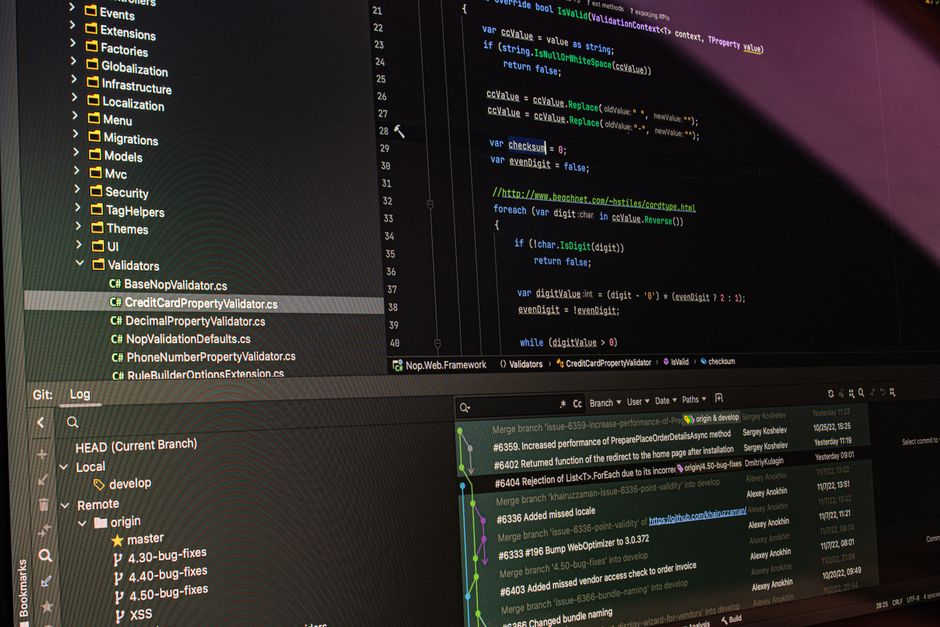
Um Git zu nutzen, brauchst du einige grundlegende Konzepte. Ein Repository (oder "Repo") ist der Projektordner, den Git nachverfolgt, einschließlich seiner Historie. Ein Commit ist eine gespeicherte Momentaufnahme deiner Änderungen zu einem bestimmten Zeitpunkt, jeweils mit einer Nachricht, die beschreibt, was du getan hast. Bevor du committest, legst du Änderungen in einer Staging-Area ab, in der du genau auswählst, was in die nächste Momentaufnahme kommt, statt alles auf einmal zu committen.
- Verteilt: jeder Klon enthält die vollständige Historie
- Commits = gespeicherte Momentaufnahmen mit einer Nachricht
- Branches ermöglichen sicheres paralleles Arbeiten
- Push/Pull synchronisieren deine Arbeit mit einem Remote
- Git ist das Werkzeug; GitHub/GitLab hosten die Repos
Die anderen wesentlichen Konzepte sind Branches und Remotes. Ein Branch ist ein unabhängiger Arbeitsstrang: Du kannst abzweigen, um eine Funktion zu bauen oder einen Fehler zu beheben, ohne den Hauptcode anzurühren, und deinen Branch anschließend wieder zusammenführen (mergen), wenn er fertig ist. Ein Remote ist eine anderswo gehostete Kopie des Repositorys - du pushst deine Commits dorthin, um sie zu teilen, und pullst die Commits anderer herunter, um auf dem gleichen Stand zu bleiben.
Warum Entwickler auf Git setzen
Entwickler verlassen sich aus mehreren konkreten Gründen auf Git. Es bewahrt eine vollständige, überprüfbare Historie eines Projekts; es lässt ein ganzes Team parallel an derselben Codebasis arbeiten, ohne sich gegenseitig zu überschreiben; Branches machen das Experimentieren sicher, weil der Hauptcode unangetastet bleibt, bis du mergst; und wenn eine Änderung etwas kaputtmacht, kannst du zu einem funktionierenden Commit zurückkehren. Für nahezu jedes Projekt, das aus Code besteht, sind das alltägliche Bedürfnisse.
Git ist nicht GitHub
Eine häufige Verwechslung betrifft den Unterschied zwischen Git und GitHub. Git ist das Versionskontrollwerkzeug selbst - Software, die auf deinem Rechner läuft und die Historie verwaltet. GitHub ist eine Website, die Git-Repositorys online hostet und obendrauf Funktionen für die Zusammenarbeit bietet, etwa Pull Requests, Fehlerverfolgung und Zugriffskontrolle. GitLab und Bitbucket sind ähnliche Hosting-Dienste. Du kannst Git ganz ohne Konto irgendwo nutzen; die Hoster sind optionale Orte, um deine Remotes zu speichern und zu teilen.
Die grundlegenden Befehle
Im täglichen Gebrauch steuerst du Git mit einer Handvoll Befehle. Du startest ein Projekt mit git init oder kopierst ein bestehendes mit git clone. Du fügst Änderungen mit git add zur Staging-Area hinzu, speicherst eine Momentaufnahme mit git commit, sendest deine Commits mit git push an ein Remote und holst die Arbeit anderer mit git pull. Dazu zeigt git status, was sich geändert hat, und git branch sowie git merge verwalten getrennte Arbeitsstränge - ein kleiner Kern, der die meisten alltäglichen Aufgaben abdeckt.
Brauchen Sie Git?
Brauchst du also Git? Wenn du überhaupt Code schreibst - selbst allein an einem kleinen Projekt - gibt dir Git eine verlässliche Historie, eine Rückgängig-Funktion für dein gesamtes Projekt und eine sichere Möglichkeit, auf Branches zu experimentieren. Sobald mehr als eine Person beteiligt ist, wird es unverzichtbar. Es hat eine Lernkurve, aber es ist das Fundament, auf dem fast jedes moderne Softwareteam aufbaut, und du kannst deine eigenen Remotes auf einem Server hosten, den du selbst kontrollierst.
FAQ
Is Git the same as GitHub?
No. Git is the version control software that runs on your machine and tracks your project’s history. GitHub is a website that hosts Git repositories online and adds collaboration features like pull requests and issue tracking. GitLab and Bitbucket are similar hosts. You can use Git without GitHub, and the hosting service is optional.
Is Git hard to learn?
Git has a learning curve, and some advanced operations can be confusing at first. But the everyday workflow rests on a small set of commands - add, commit, push, pull, branch and merge - that most people pick up quickly. You do not need to master every feature to use Git productively.
What is a commit?
A commit is a saved snapshot of your changes at a point in time, each with a short message describing what you did. Commits build up the project’s history, so you can see how the code evolved and return to any earlier state if needed.
Do I need Git for solo projects?
It is not required, but it is genuinely useful even alone. Git gives you a full history of your work, an undo button across the whole project, and branches to try ideas safely. It also makes it easy to back up your code to a remote and to collaborate later if the project grows.



Im täglichen Gebrauch steuerst du Git mit einer Handvoll Befehle. Du startest ein Projekt mit git init oder kopierst ein bestehendes mit git clone. Du fügst Änderungen mit git add zur Staging-Area hinzu, speicherst eine Momentaufnahme mit git commit, sendest deine Commits mit git push an ein Remote und holst die Arbeit anderer mit git pull. Dazu zeigt git status, was sich geändert hat, und git branch sowie git merge verwalten getrennte Arbeitsstränge - ein kleiner Kern, der die meisten alltäglichen Aufgaben abdeckt.